Blog / Video
VideoHow to Write Subtitles People Actually Read
Bad captions are not usually wrong — they are badly chunked, badly timed, or unreadable against the picture. Here is how to decide how much text to show at once, how to time it without transcribing anything, and why Chinese and Japanese need a completely different rule from English.
Captions have quietly become mandatory. A large share of video is watched with the sound off — in bed, in an office, on a train — and for narrated video where the voice carries the entire meaning, muted playback without captions isn't a reduced experience. It's nothing at all.
But adding captions badly is its own problem. Text that lags the voice, or dumps a full paragraph on screen, or sits invisible against a bright sky, makes a video worse than no captions would have.
How much text at once?
This is the decision that matters most, and it depends on what the viewer is doing.
| Style | Best for | Why |
|---|---|---|
| One to three words, changing constantly | Short-form, social, narrated explainers | Tracks the voice almost exactly. Readable on a phone at arm's length. The movement itself holds attention. |
| One full line, changing per clause | Interviews, tutorials, long-form | Lets a viewer read ahead slightly, which is what you want when they are following an argument rather than a beat. |
| Two lines, changing per sentence | Film, drama, accessibility subtitles | The broadcast standard. Assumes a viewer settled in front of a large screen, not glancing at a feed. |
For narrated videos built from stills, the first row wins clearly. A caption holding a whole sentence turns your picture into a page of text — and if the images are still, that block of text is the only thing on screen not moving, which makes it the thing people stare at instead of your work.
The faster the captions change, the less they compete with the picture — because nobody has to hold them in memory.
Timing without transcribing anything
Most people assume captions require either manual timing or speech recognition. If you wrote the script yourself, neither is true, and the reason is simple: you already know exactly what was said, and the audio file already knows exactly how long it took to say it.
Given those two facts, you can place captions arithmetically:
-
Take one line and its recorded duration
Say the line is "The old lighthouse had stood for ninety years" and the recording is 4.0 seconds long.
-
Split it into units
For English, a unit is a word. Group them into the chunks you want to display — two words each gives you "The old", "lighthouse had", "stood for", "ninety years".
-
Divide the time by weight, not by count
This is the step people get wrong. Splitting 4 seconds evenly across four chunks holds "The old" and "lighthouse had" for exactly the same time, even though one takes noticeably longer to say. Weight each chunk by its length in characters and the captions track the voice far more closely.
-
Anchor the last chunk to the end
Give the final chunk whatever time remains rather than computing its own share. Rounding errors accumulate, and this guarantees the captions finish exactly with the audio instead of a few frames early or late.
This works because synthesised speech — and most rehearsed human narration — is delivered at a fairly even pace. It is an approximation, but across a three-second line the error is imperceptible, and it never drifts, because every line is re-anchored to its own recording.
Why this beats auto-captioning for scripted video
Speech recognition has to guess the words. You already have them — spelled correctly, with your product names, jargon and punctuation intact. Running recognition over narration you wrote yourself introduces errors into text that was already perfect.
Auto-captioning earns its place with unscripted speech: interviews, streams, recordings of meetings.
Chinese, Japanese and Korean need a different rule
"Show two words at a time" is meaningless in a script with no spaces. 这座灯塔已经矗立了九十年 is one continuous run of characters, and splitting on whitespace would give you the entire sentence as a single chunk.
The equivalent unit in CJK is the character. Two characters at a time gives roughly the same reading rhythm that two words gives in English, because a single Chinese character carries considerably more meaning than a single Latin letter.
Two practical details follow from this:
- Don't insert spaces when joining CJK characters. Latin words need a space between them; adding one between two Chinese characters creates a gap the original text never had, and it reads as broken.
- Handle mixed scripts locally. Real sentences contain Latin product names inside Chinese text. The rule should apply per run — characters split individually, Latin words kept whole — rather than picking one mode for the whole line.
Making captions readable against any picture
White text on a bright sky is invisible. There are only two solutions that reliably work, and you should pick one deliberately:
- A translucent box behind the text. The most legible option in every condition. It costs you a rectangle of the picture, which matters if your images are the point.
- A dark outline around each letter. Keeps the picture visible and works surprisingly well, but struggles over busy, high-contrast detail like foliage or crowds.
Beyond that: keep captions out of the very bottom of the frame, since most platforms overlay their own interface there, and size the text against the frame height rather than in fixed pixels — otherwise the same setting produces a caption that is comfortable on one export and microscopic on another.
Burned in, or a separate file?
Two different things, often confused. Burned-in captions are painted into the
picture permanently. A sidecar file — .srt or .vtt —
travels alongside the video and is rendered by the player.
| Burned in | Separate file | |
|---|---|---|
| Appearance | Exactly what you designed | Whatever the player decides |
| Can be turned off | No | Yes |
| Searchable / indexable | No | Yes |
| Translatable later | No | Yes |
| Works in autoplay feeds | Yes | Often not |
| Survives re-uploads | Yes | Only if re-attached |
The sensible answer is usually both. Burn them in so the video works when dropped into any feed, and keep the sidecar file so the text remains searchable, translatable and reusable. The two are generated from the same timings, so producing both costs nothing extra.
SRT or ASS?
SRT is the universal format and carries nothing but text and timings — no colour, no size, no position. That is why "styled SRT" isn't really a thing: any styling comes from the player, not the file.
ASS (Advanced SubStation Alpha) carries the styling in the file itself: font, size, colours, outline, background box, position on screen. If the appearance matters — and if you are burning captions in, it does — ASS is the format that makes the result predictable.
One caveat worth knowing: WebVTT (.vtt) is what most web
platforms and upload forms expect, and it is nearly identical to SRT apart from
a header line and using a full stop instead of a comma in the timestamps.
Converting between them is trivial; discovering the requirement at upload time
is annoying.
The short version
- One to three words at a time for narrated short-form; full lines for long-form.
- If you wrote the script, you don't need speech recognition — you need arithmetic.
- Weight each chunk by length, and anchor the last one to the end of the audio.
- CJK chunks by character, not by word — and never joins with spaces.
- Use a translucent box or a dark outline; never bare text over an image.
- Burn captions in for feeds, and keep a sidecar file for everything else.
Frequently asked questions
What is the difference between SRT and ASS subtitles?
SRT carries only text and timings, so the appearance is entirely up to the player. ASS carries font, colour, outline, background and position in the file itself, which is what you want when the look has to be exact — particularly for captions that will be burned into the picture.
Should subtitles be burned in or kept separate?
Burn them in when the video will be watched somewhere captions cannot be switched on, such as an autoplaying social feed. Keep a separate file when the platform supports it, since it is searchable, translatable and optional. Producing both covers every case.
How many words should be on screen at once?
One to three for narrated short-form video — it tracks the voice closely and reads easily on a phone. Full-sentence captions suit dialogue-heavy long-form content, where the viewer is reading rather than listening.
How do I caption a language with no spaces?
Chunk by character instead of by word. Two characters at a time gives roughly the same rhythm as two English words. Make sure your text is joined without inserting spaces, which would introduce gaps the original never had.
Do captions help with search rankings?
A sidecar caption file gives platforms a full text transcript of your video, which is indexable in a way that burned-in pixels are not. That is a genuine reason to keep the separate file even when you have also burned the captions into the picture.
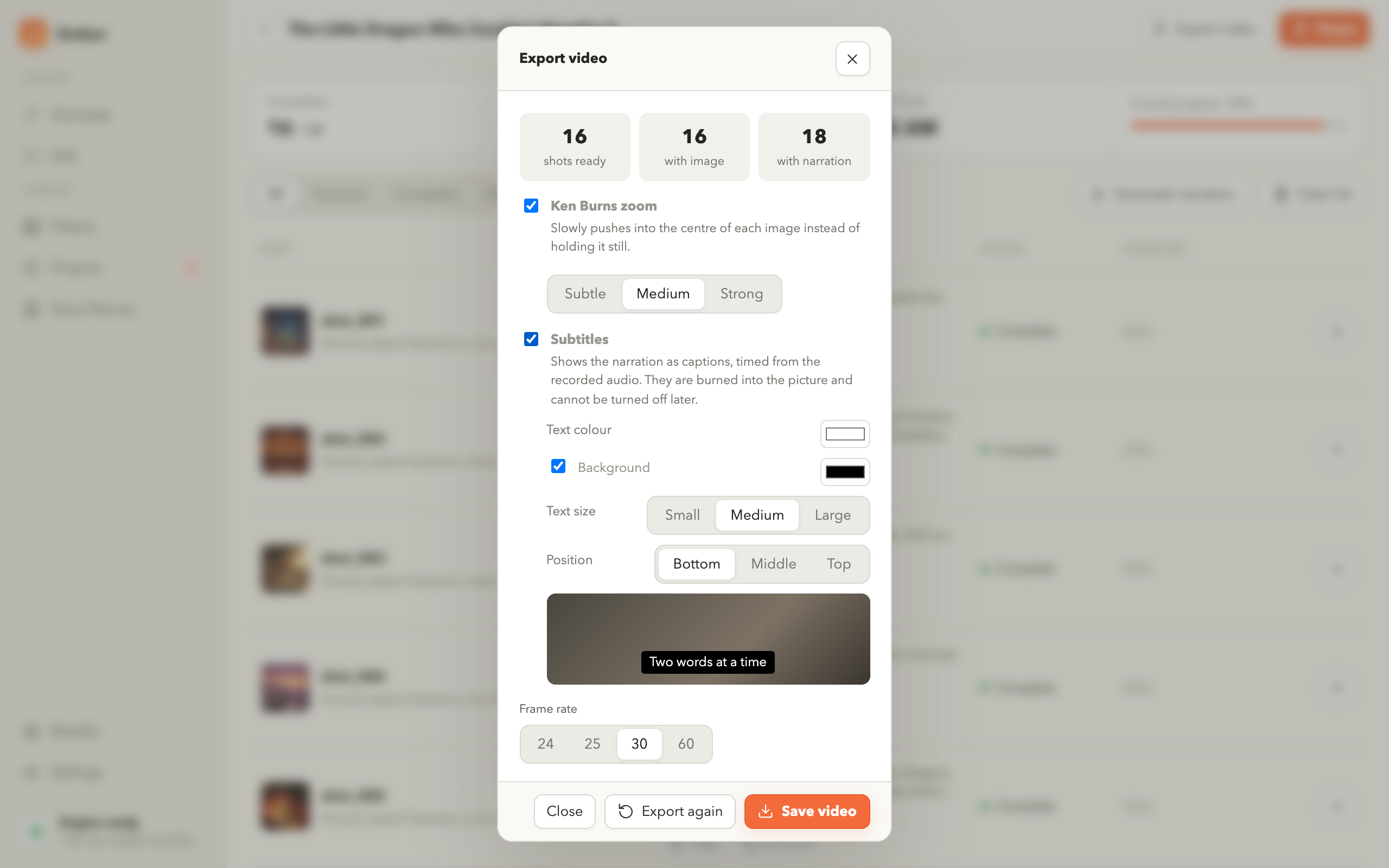
Captions timed from your own narration
Ember times captions from the recorded audio of each shot, chunks Latin
text by word and CJK by character, and writes an .srt beside the
finished video.