Blog / Privacy
PrivacyWhat Actually Happens to Your Images in Cloud AI Tools
"Is it private?" is the wrong question, because every service will say yes. These are the specific questions that have real answers, where to find them, and what to do when the work is sensitive enough that the answers aren't good enough.
When you type a prompt into an online image generator, several distinct things travel to somebody else's computer, and they have different lifespans and different rules attached. Most confusion about AI privacy comes from treating them as one thing.
What actually leaves your machine
| What | Why it matters |
|---|---|
| Your prompt | Often the most revealing part. A prompt can disclose an unannounced product, a campaign, a client name or a personal situation — even when the resulting picture is innocuous. |
| Reference images you upload | Usually the highest-stakes item. This is where photographs of real people, unreleased products, internal documents and client material end up. |
| The generated result | Frequently retained on the service so you can revisit your history, which means it exists in at least one place you don't control. |
| Account and usage metadata | Who made what, when, and how often. Rarely mentioned in discussions of AI privacy, but it is a record of your working patterns. |
The five questions with real answers
Skip the landing page. These are answered in the privacy policy and terms of service, and if a service doesn't answer them plainly, that itself is the answer.
-
How long is my content retained, and can I delete it?
"We don't sell your data" says nothing about how long it is kept. Look for a stated retention period and a real deletion mechanism. Note whether deletion covers backups — often it explicitly does not.
-
Is my content used to train or improve models?
Look specifically for whether this is opt-in or opt-out, and whether the opt-out is available on your plan. It is common for free tiers to include training rights that paid tiers exclude.
-
Can employees view my prompts and images?
Almost always yes to some degree, for abuse monitoring and support. The meaningful distinction is whether access is routine or exceptional, logged or unlogged, automated or human.
-
Who owns what I generate?
Terms vary widely on commercial use, and some grant the service a broad licence to display your outputs — meaning your work can appear in their promotional material or public galleries.
-
Where is it processed, and under whose law?
This determines which data protection regime applies and who can compel disclosure. For anything covered by a client contract or a corporate policy, it is usually the question your legal team cares about most.
The obligation is usually yours, not the vendor's
If you have signed an NDA, hold a client's material, or work under a data protection agreement, the duty to keep that material contained is yours. A vendor's assurance doesn't transfer it. This is why many organisations prohibit uploading work material to AI services regardless of what the service promises — the promise doesn't discharge the obligation.
When cloud tools are perfectly fine
This isn't an argument that online tools are reckless. For a great deal of work they are the right choice, and pretending otherwise is unhelpful.
Cloud generation is a sensible default when the material is not confidential and not personal: concept art for your own project, illustrations for a public blog post, moodboards from public references, experiments where the whole point is that you'd share the result anyway.
The calculation changes when any of these are true:
- Reference images contain identifiable people who haven't consented
- The material belongs to a client, or is covered by an NDA
- The subject is an unannounced product, campaign or design
- Your employer's policy prohibits third-party processing
- The prompt itself would be sensitive if disclosed
- You need the work to be reproducible years from now, regardless of whether a company still exists or has changed its terms
The local alternative, honestly assessed
Running the model on your own computer changes the question completely, because nothing needs to be sent anywhere to make a picture. But it is a real trade, and it is worth being straight about both sides.
| Cloud service | On your machine | |
|---|---|---|
| Prompts and images leave your device | Yes | No |
| Account required | Usually | No |
| Cost model | Subscription or credits | Your hardware and electricity |
| Works offline | No | Yes |
| Setup effort | Minimal | Model files must be obtained once |
| Speed | Fast, someone else's hardware | Depends entirely on your graphics card |
| Access to the newest models | Immediate | Only what runs on your hardware |
| Still works in five years | If the company still does | Yes, files on your disk |
The honest summary: local generation costs you convenience and raw speed, and buys you confidentiality, independence from subscriptions, and permanence. For casual work the trade often isn't worth it. For client work, personal photographs or anything under an NDA, it removes the problem rather than managing it.
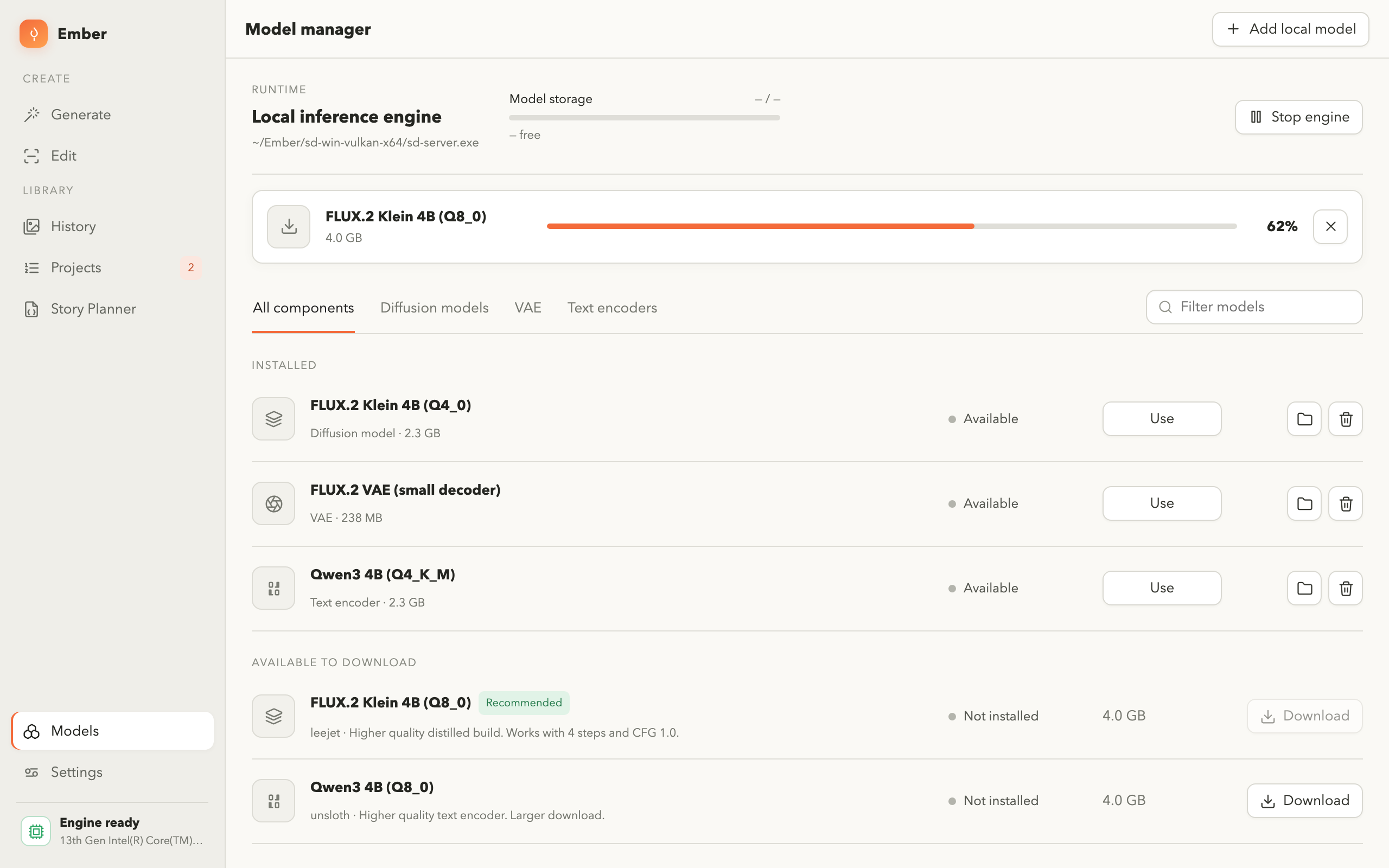
Checking what a local tool actually does
"Runs locally" is a claim about generation. It is not automatically a claim about the whole application, so it is worth checking three things:
- Does it require an account? If it does, something is being sent somewhere, even if the images aren't.
- Does it phone home? Analytics, crash reporting and licence checks all transmit data. The straightforward test is to disconnect from the network and confirm the core features still work.
- Which features are the exception? Tools honestly disclose the parts that do use the network — downloading a model, or a voice service for narration — and confine them to when you explicitly ask for them.
That last point is the one to look for. A tool that says "everything is local" without qualification is either simpler than it looks, or hasn't told you the whole story.
The short version
- Four different things leave your machine; the prompt is often the most revealing.
- Ask about retention, training rights, staff access, ownership and jurisdiction.
- Free tiers frequently include training rights that paid tiers exclude.
- Your confidentiality obligations don't transfer to a vendor's promise.
- Cloud is fine for non-confidential work; the calculation changes with client material and real people.
- Test a "local" tool by disconnecting the network and seeing what still works.
Frequently asked questions
Do AI image tools keep the images I generate?
It depends on the service, and the answer is in the privacy policy rather than the marketing. Ask how long generated images are retained, whether prompts are stored separately, whether staff can view them, and whether either is used to improve the models.
Can I use AI image tools for confidential client work?
Only if your agreement with that client allows their material to be sent to a third party. Many confidentiality clauses and internal policies prohibit it regardless of what the service promises, because the obligation is yours.
Does running a model locally mean nothing is uploaded?
Generation happens on your hardware, so prompts and images stay put. Check separately whether the application does anything else over the network — analytics, account checks, or optional features that call an online service.
Is a paid plan more private than a free one?
Often, yes — training on customer content is more common on free tiers, and opt-outs are sometimes limited to paid plans. Don't assume it; the difference is stated in the terms if it exists.
What about images of real people?
This is the highest-risk category, because consent usually belongs to the person in the photograph rather than to whoever holds the file. If you cannot point to their consent for third-party processing, keep the work local.
Generate without uploading anything
Ember runs entirely on your own computer — no account, no telemetry, no upload. Your prompts, reference images and finished pictures stay on the machine that made them.